Ordinis — Accueil
Cette page est affichée en anglais.

Ordinis Connect

All your mail. One calm place.

Ordinis Connect brings your Outlook.com and IMAP accounts together with your calendar, contacts and tasks, in one desktop app for Windows and Linux. Trackers are blocked, and your mail is stored encrypted on your own computer.

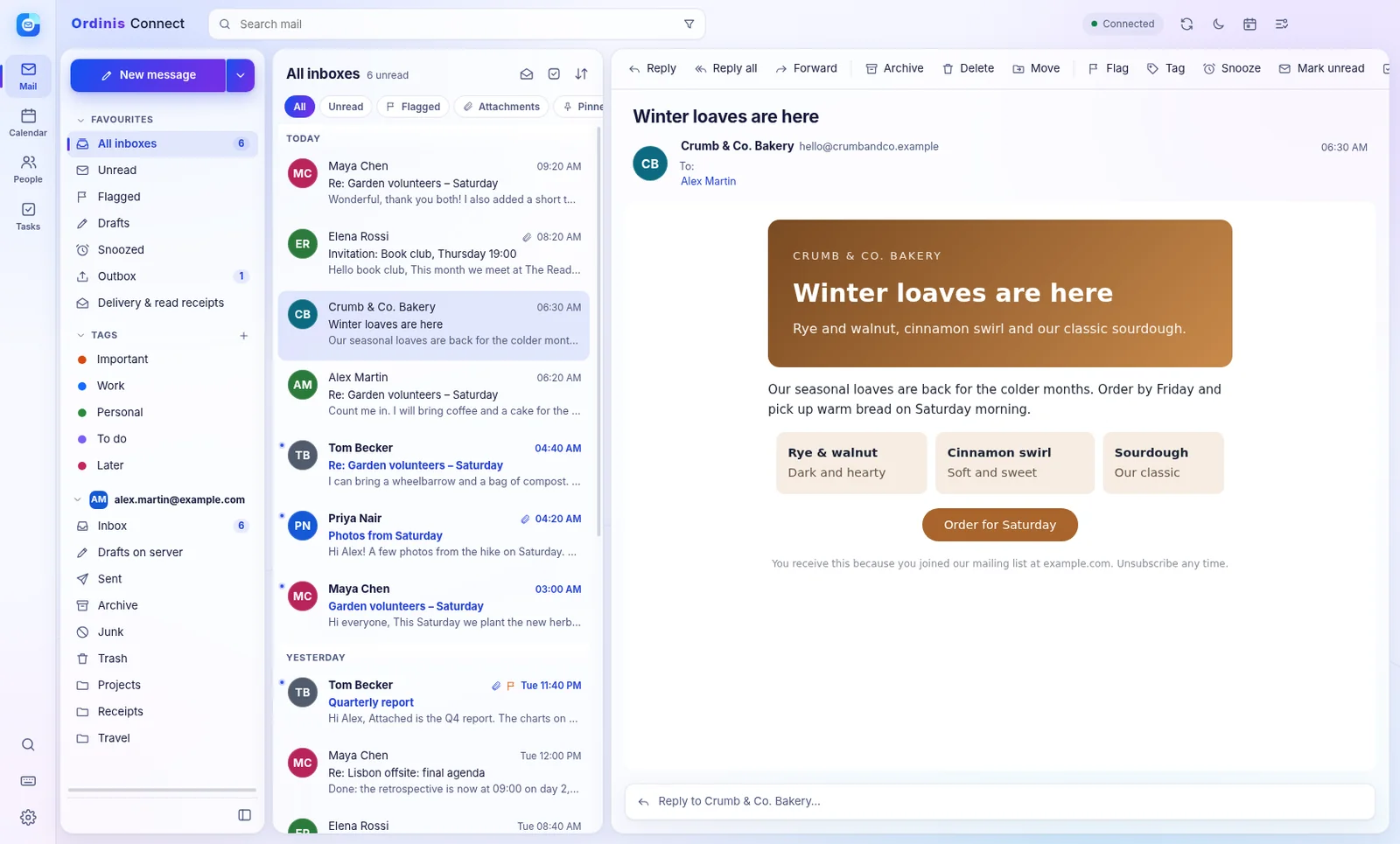
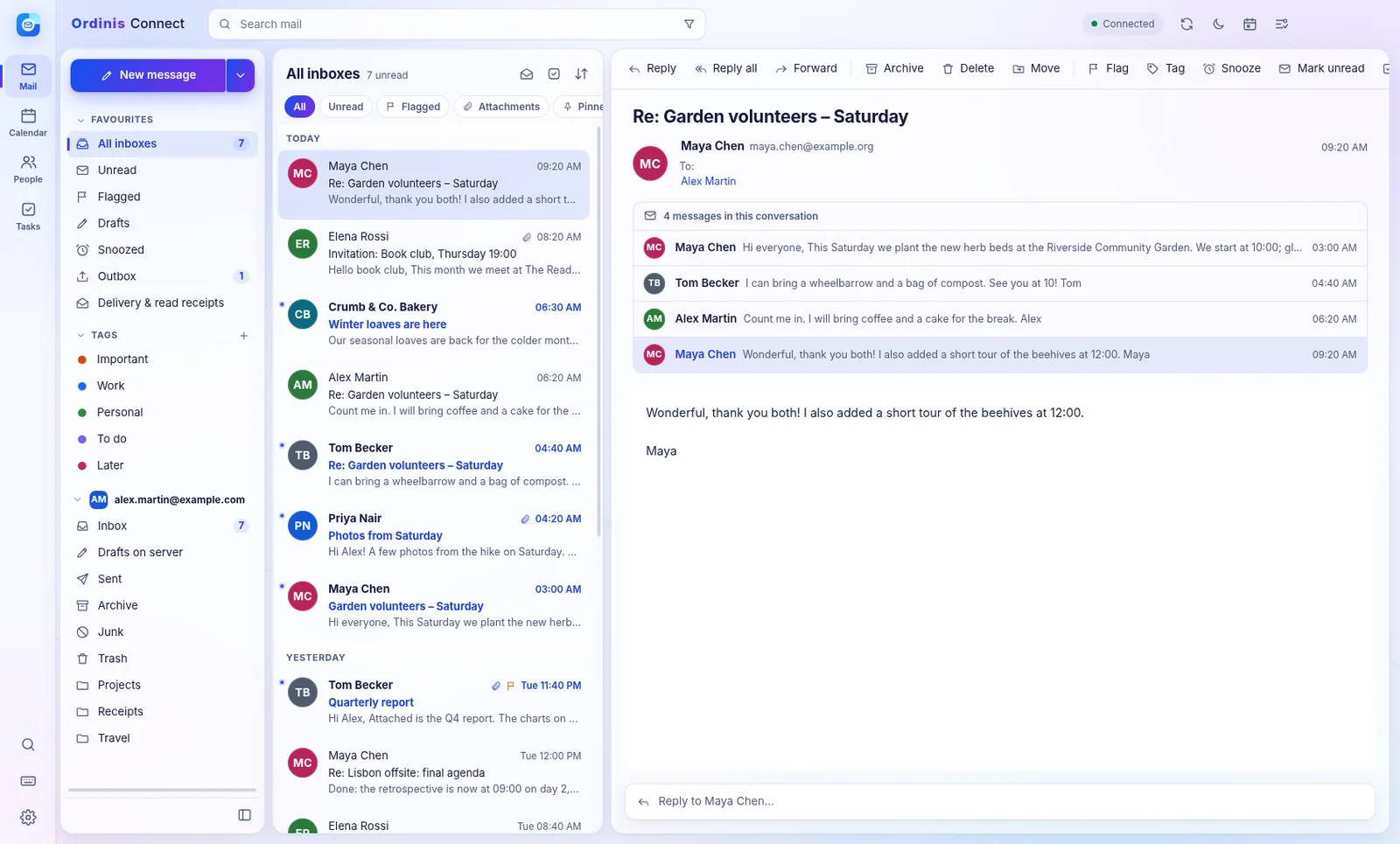
Ordinis Connect with the unified inbox, quick filters and tags, and a conversation of four messages open in the reading pane.
Every inbox, every conversation, in one window (demo accounts).

Who it’s for

For people with more than one inbox

Personal accounts

Outlook.com and any IMAP mailbox, side by side in one window instead of several browser tabs.
Privacy-minded readers

Remote images and trackers blocked by default, and mail stored encrypted on your own computer.
Three languages

English, French and Dutch, in light or dark.

Mail

Every inbox, in one window

A unified inbox that stays readable

Several accounts side by side, whole conversations in one place, and a reading pane where you want it: right, bottom or off.
  • Outlook.com and any IMAP/SMTP mailbox
  • Quick filters: unread, flagged, attachments, pinned; tags such as Important, Work and To do
  • Snoozed, Outbox, and delivery and read receipts
  • Search with operators: from:, to:, subject:, has:attachment, before:, after:
  • Undo archive, delete and move
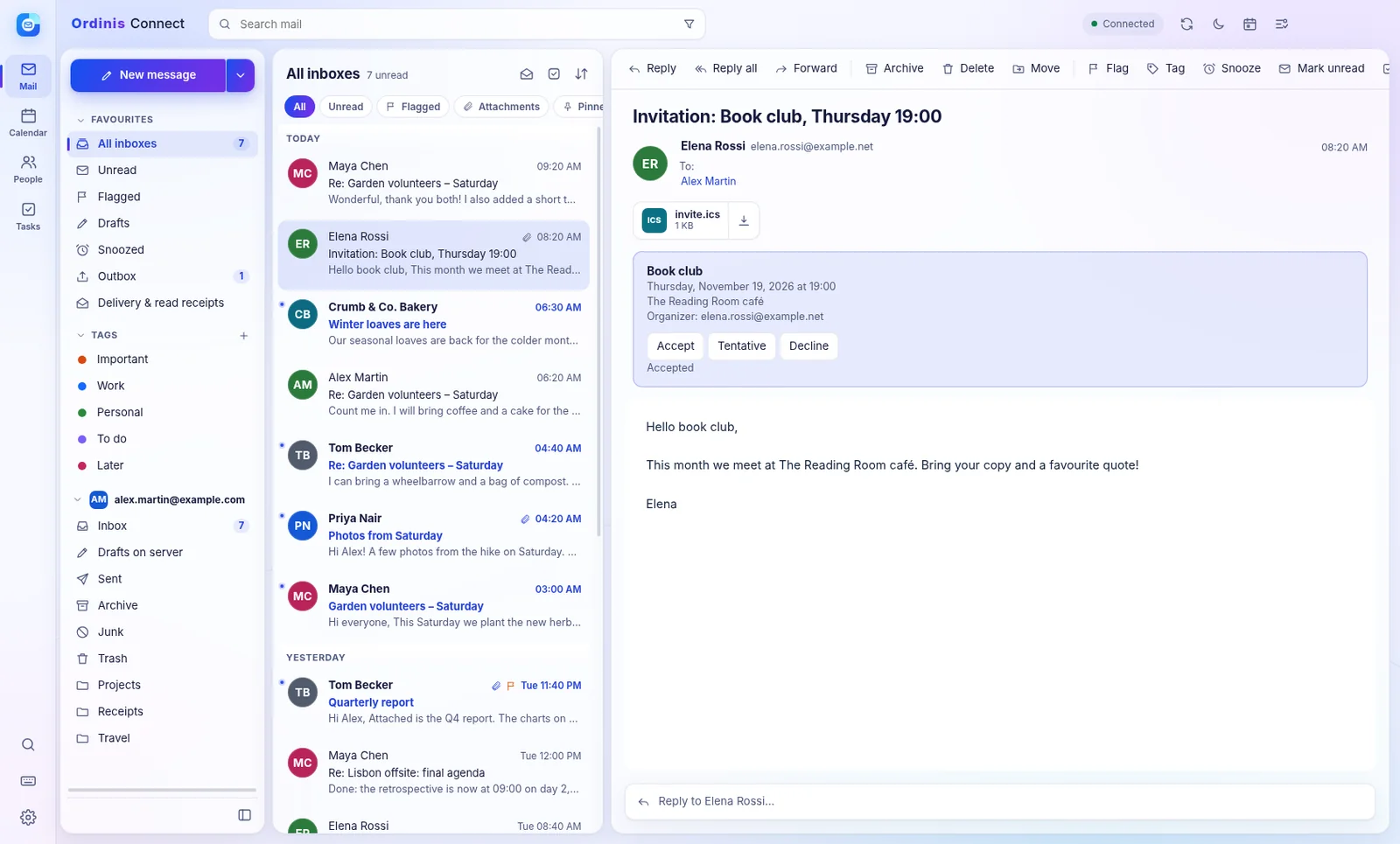
A meeting invitation in Ordinis Connect shown as an event card with Accept, Tentative and Decline.
Invitations open as an event card: accept, and it is in your calendar.

Write with confidence

Rich text or plain text, attachments, signatures and templates. Undo send gives you a few seconds to change your mind, and Connect warns you before you mail people outside your organisation.
  • Undo send with an adjustable delay
  • Warning for external recipients and large audiences
  • Mail written offline waits in the Outbox and is sent once, as soon as you are back online
  • Schedule send (while the app is open)
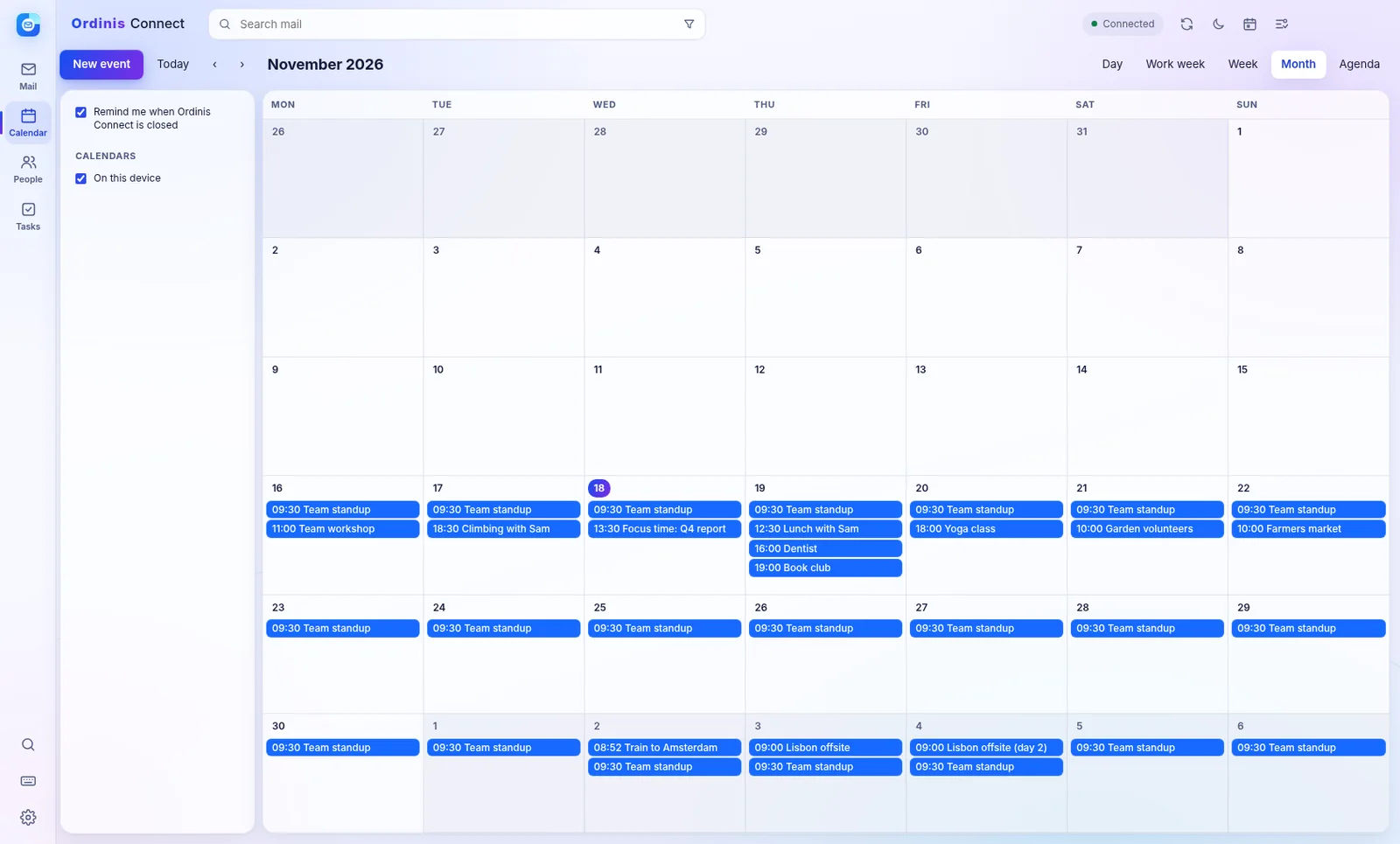
The Ordinis Connect calendar in month view with demo events.
Your month at a glance (demo data).

Calendar, people and tasks

Your day, next to your mail

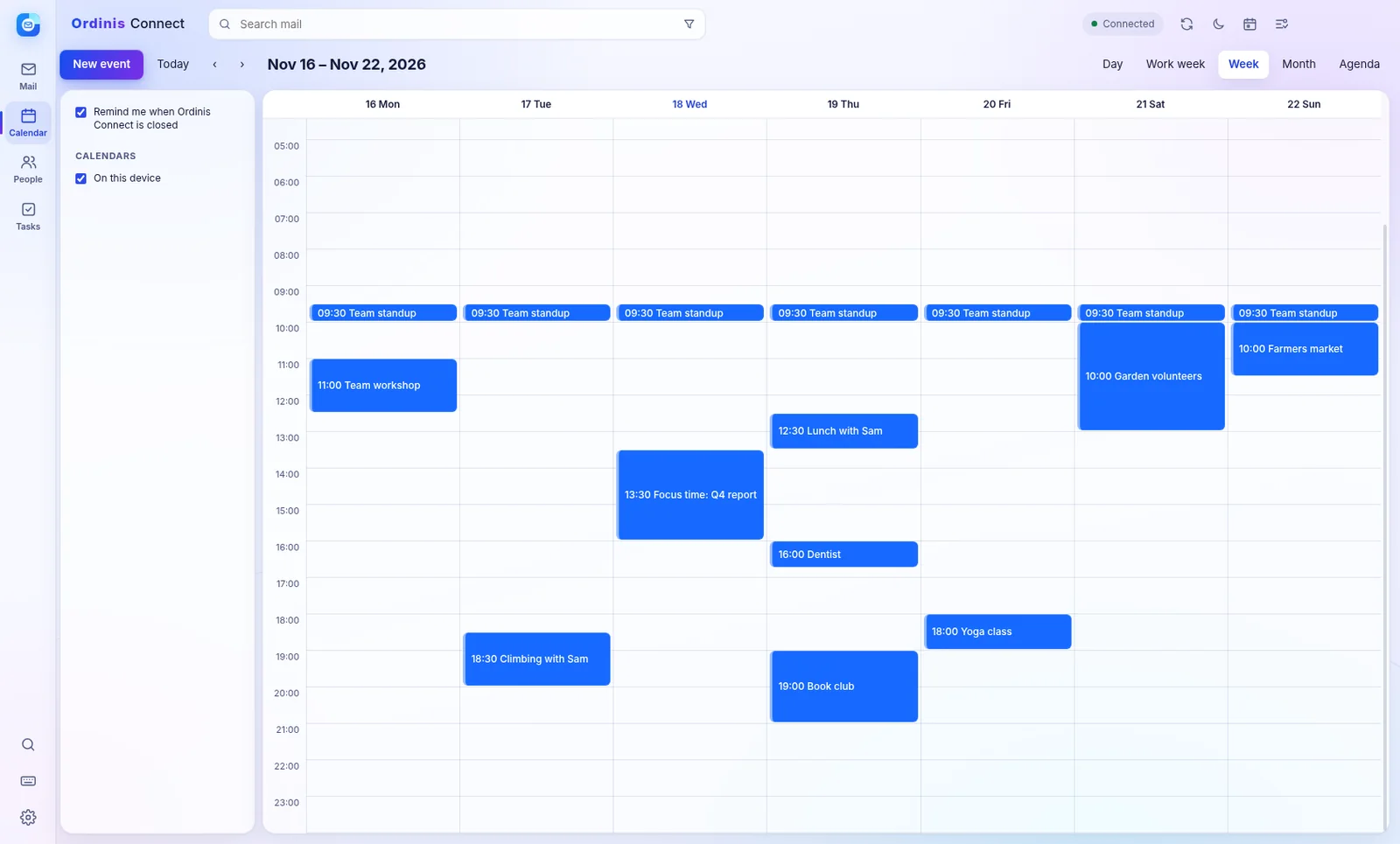
The Ordinis Connect calendar in week view with meetings and repeating events.
The calendar, week view (demo data).

Calendar

Day, work week, week, month and agenda views. Recurring events, invitations and replies. Reminders even when the app is closed.

People

Contacts and groups, with vCard import and export.

Tasks

Tasks, and turning a message into a task in one click.
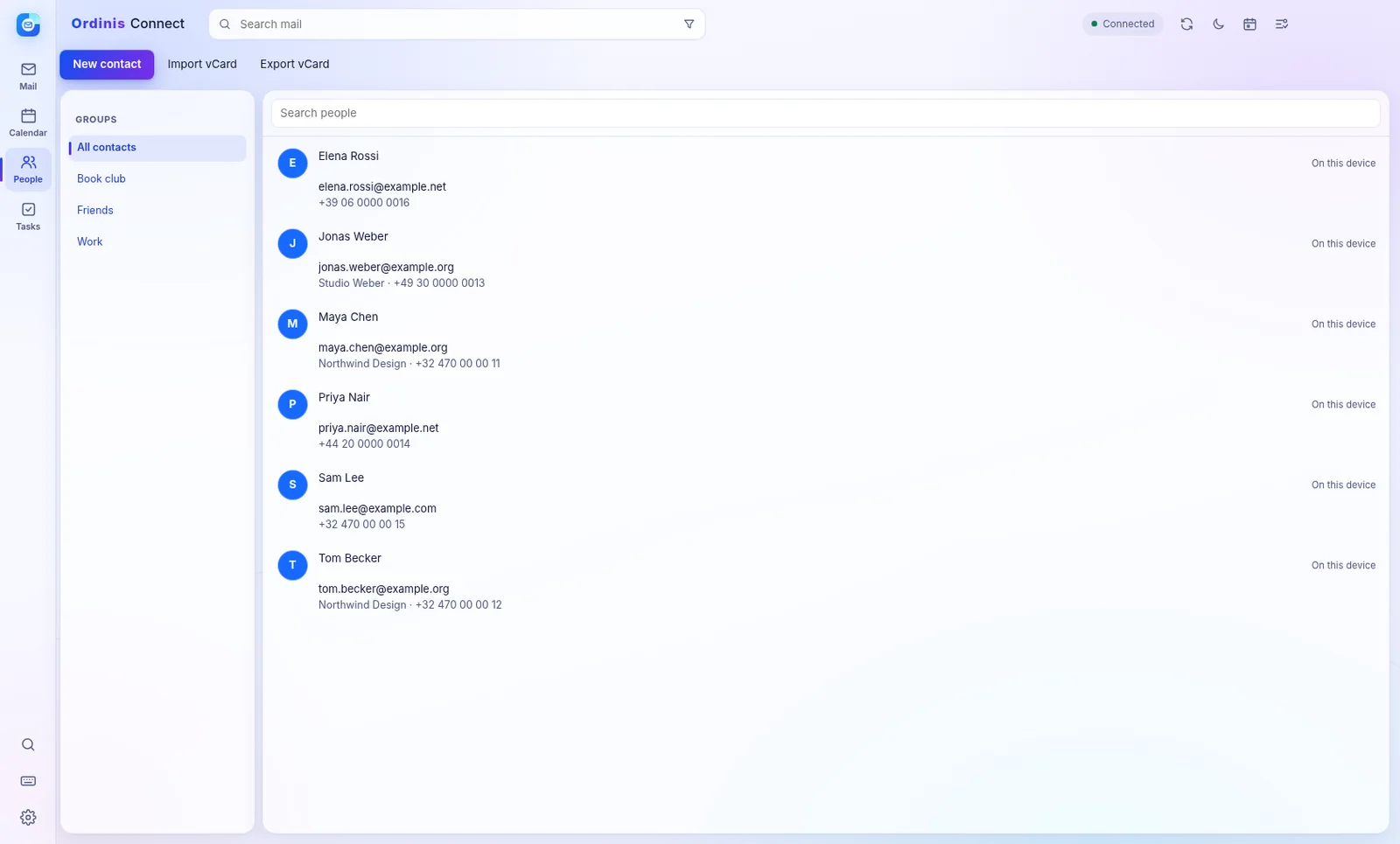
The Ordinis Connect People view with a list of contacts and their details.
People (demo contacts).

Privacy and security

Your mail stays yours

A newsletter open in Ordinis Connect.
Newsletters, without their trackers until you choose to load images (demo data).

Trackers blocked by default

Remote images, a common way to track when you open a message, are blocked. Load them per message or for senders you trust.

Encrypted on your device

The local mail database is encrypted, with its key kept in your operating system’s secure storage.

No password stored for Microsoft

You sign in on Microsoft’s own page (OAuth with PKCE). Connect never sees that password.

Under the hood

A desktop app that talks to your mail provider directly

Your accounts

Connect signs in to Outlook.com through Microsoft’s own page (OAuth with PKCE) and to other providers over IMAP and SMTP. Ordinis runs no mail server in between.

Your computer

Mail is kept in an encrypted local database, with its key in the operating system’s secure storage, and searched locally.

Offline

Read and write without a connection; mail you send waits in the Outbox and goes out once, as soon as you are back online.

Reminders

Calendar reminders arrive even when the app is closed.

Features

Everything in Connect

  • Outlook.com and IMAP/SMTP accounts
  • Unified inbox, conversations, reading pane layouts, densities
  • Search with operators; local full-text search
  • Rich-text compose, attachments, templates, undo send
  • Remote images blocked; attachment and PDF preview
  • Offline reading and queued sending
  • Encrypted local store; OAuth sign-in
  • English, French and Dutch interface; light and dark themes
  • iCloud and Yahoo (as IMAP with an app password)
  • Signatures (one per account), spellcheck, schedule send, client-side rules
  • Calendar with day, work week, week, month and agenda views; invitations as event cards
  • Conversation view; snooze; delivery and read receipts

Platforms

Windows
Windows 10 and 11, 64-bit
Linux
64-bit Debian and Ubuntu family
Ordinis OS
Part of the Ordinis family on Ordinis OS

Questions

Who is Connect for?
Personal Outlook.com and IMAP accounts: mail, calendar, people and tasks in one app. Business Exchange and Microsoft 365 setups are not its focus.
Where is my mail stored?
On your computer, in an encrypted local database, plus wherever your mail provider keeps it. Ordinis does not run a mail server for Connect.
Does Connect use AI?
No. Your mail is not sent to any AI service.
Does it work offline?
Yes. You can read and write mail offline; what you send waits in the Outbox and is sent once when you are back online.
Which languages?
English, French and Dutch.
Are images in newsletters shown?
Remote images are blocked by default, because they are often used to track when you open a message. Load them per message or for senders you trust.

Part of the family

How it works with the other Ordinis products

On the Ordinis OS dock, in the same light design as the rest of the desktop.

Mail and calendar in Connect; documents, spreadsheets and presentations in Ordinis Office.

Recent milestones

What’s new

  • 0.6 · Folders you can create, rename and delete; remote images blocked by default; undo send; a warning for external recipients.
  • Search · Search operators such as from:, to:, subject:, has:attachment, before: and after:.
  • Notifications · New-mail notifications while the app is running.

Support us

Support Ordinis

Ordinis is independent. If an app helps you, you can support its development.

Support us

Payments are handled securely by Stripe.