Ordinis — Home

Ordinis Vault

Private files, locked on your computer.

Drop files into Ordinis Vault and they are encrypted before they are stored. They open only after you unlock the vault, and it locks again when you step away. Everything stays on your own computer: no cloud, no account, no network.

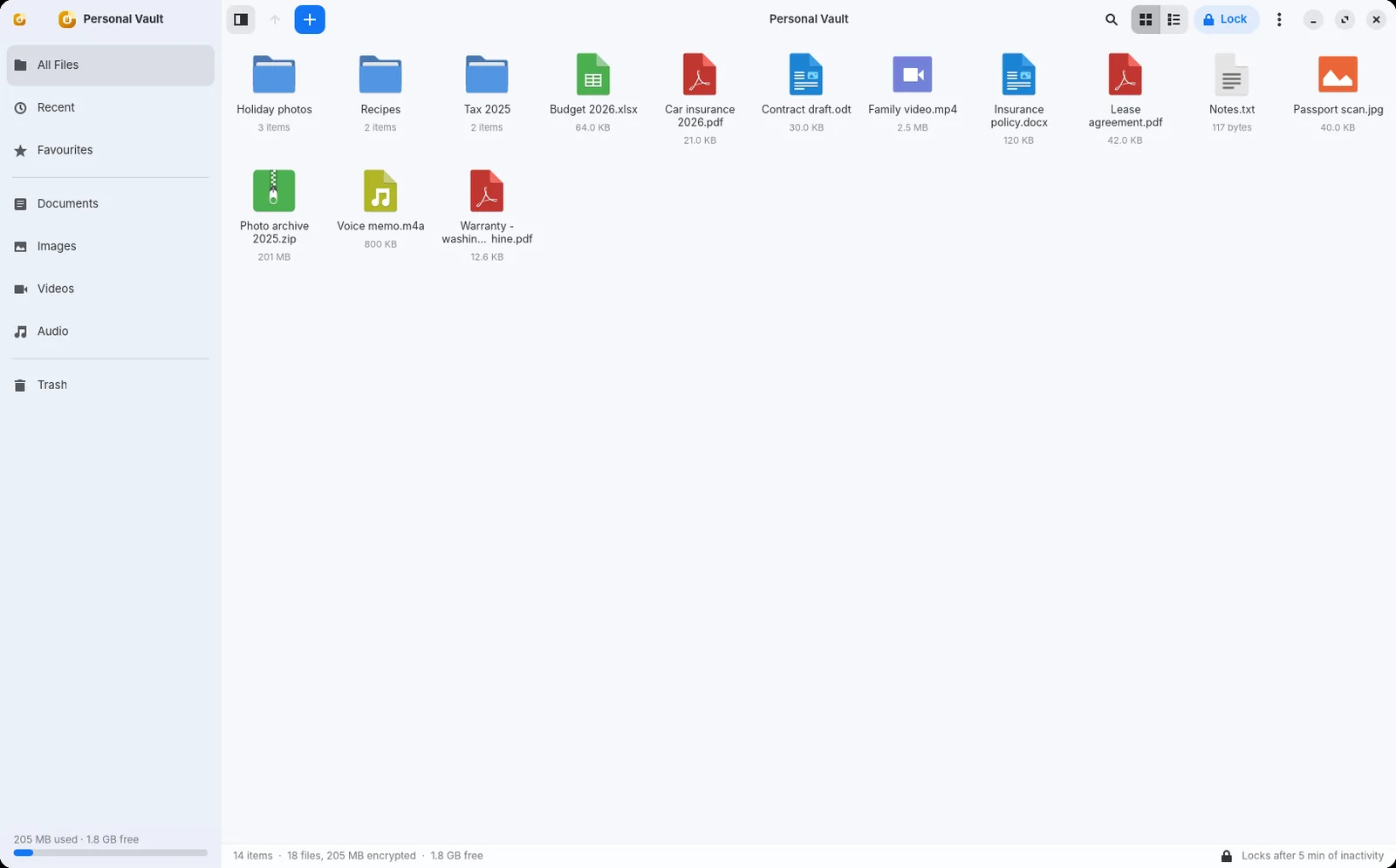
The Ordinis Vault window with All files, Recent and Favourites, sections for documents, images, videos and audio, and demo files such as holiday photos, a budget and a contract draft.
Your files, encrypted on your own computer (demo files).

Who it’s for

For the files that should stay private

Personal papers

Contracts, statements, identity documents and medical letters, locked until you open them.

Family photos and videos

Pictures and videos encrypted on your own computer, never in someone else’s cloud.

Anyone who shares a computer

The vault locks when you step away, when the screen locks and before sleep.

How it protects

Encrypted before it is stored

A key for every file

Each file is encrypted with its own key (XChaCha20-Poly1305). Your password is strengthened with Argon2id before it is used.

Names hidden too

Inside the vault, file and folder names are kept in an encrypted index, so the stored vault reveals neither your files nor what they are called. This covers what is stored in the vault, not other copies on your computer (see the limits below).

Tampering is detected

Changed, cut, swapped or reordered data is refused instead of opened. This is tested with hundreds of deliberately damaged vaults.

A recovery key

When you create the vault you get a recovery key. It opens the vault and lets you set a new password if you forget yours. Ordinis cannot recover it for you.

A PIN, guarded by the chip

On computers with a security chip (TPM 2.0) you can unlock with a short PIN. The chip holds part of the key and limits wrong guesses, so the PIN is useless on any other computer. Your password and recovery key keep working.

Offline by design

The vault has no network code at all, and its background service can only talk to programs on the same computer.

Built to survive crashes

Interrupted changes are tested at six points and during a large import that is killed halfway. Data the vault cannot place after a crash is kept in “Recovered files”; the vault never deletes it.

Everyday use

As simple as a folder

Drop files in

Drag files onto the vault icon on the desktop or into its window. “Move into vault” deletes the original only after the encrypted copy has been read back and checked.
  • Documents, images, videos and audio in their own sections
  • Search, favourites and recent files
  • Encrypted backups you can restore on another computer
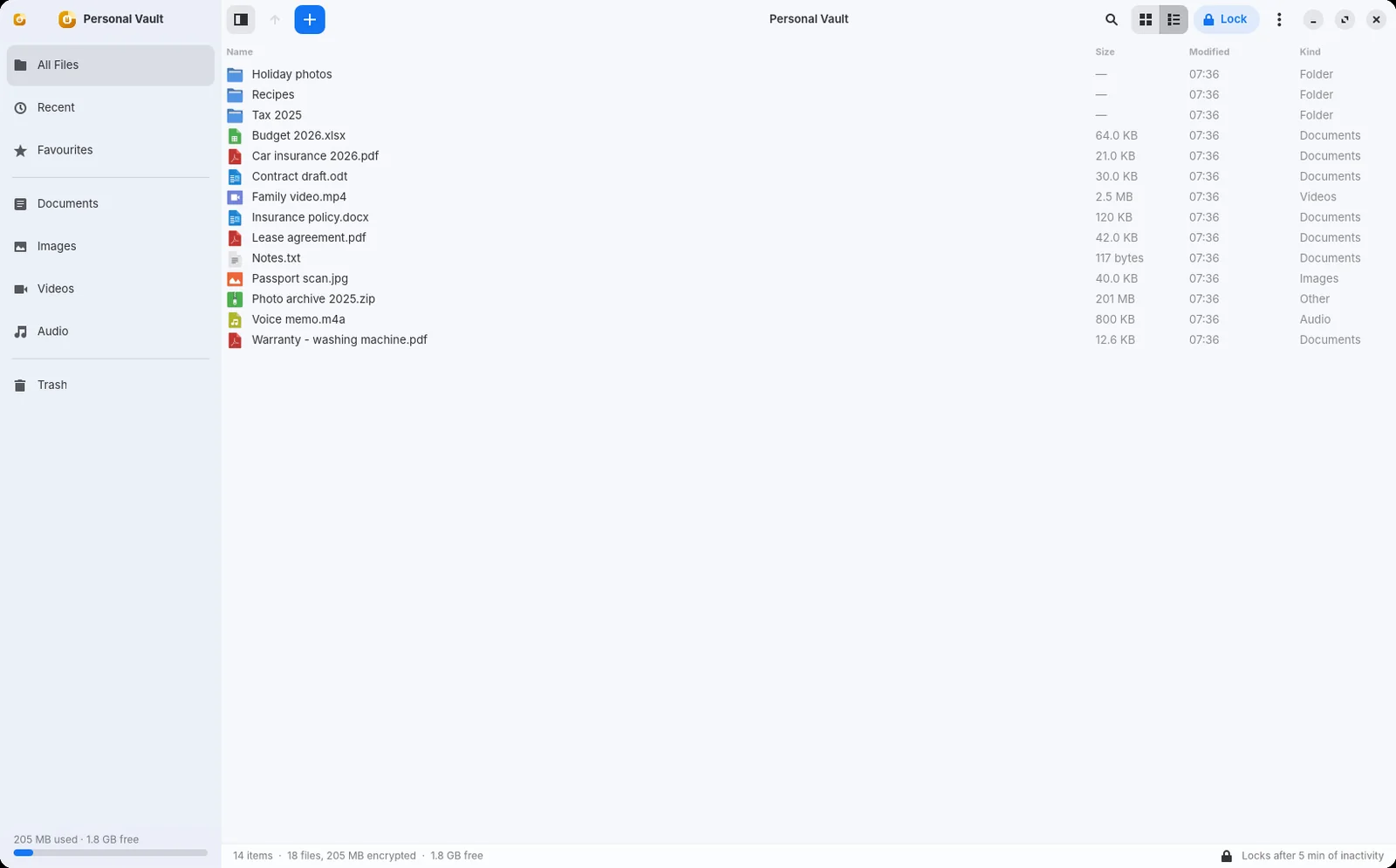
Ordinis Vault in list view with names, sizes, dates and types of demo files.
Grid or list, with search, favourites and recent files (demo files).

Locks when you leave

Lock it with one click, or let it lock itself after a few minutes without use, when the screen locks, before the computer sleeps or when you switch user. It always locks when you sign out or shut down. Locking removes the keys from memory and closes previews.
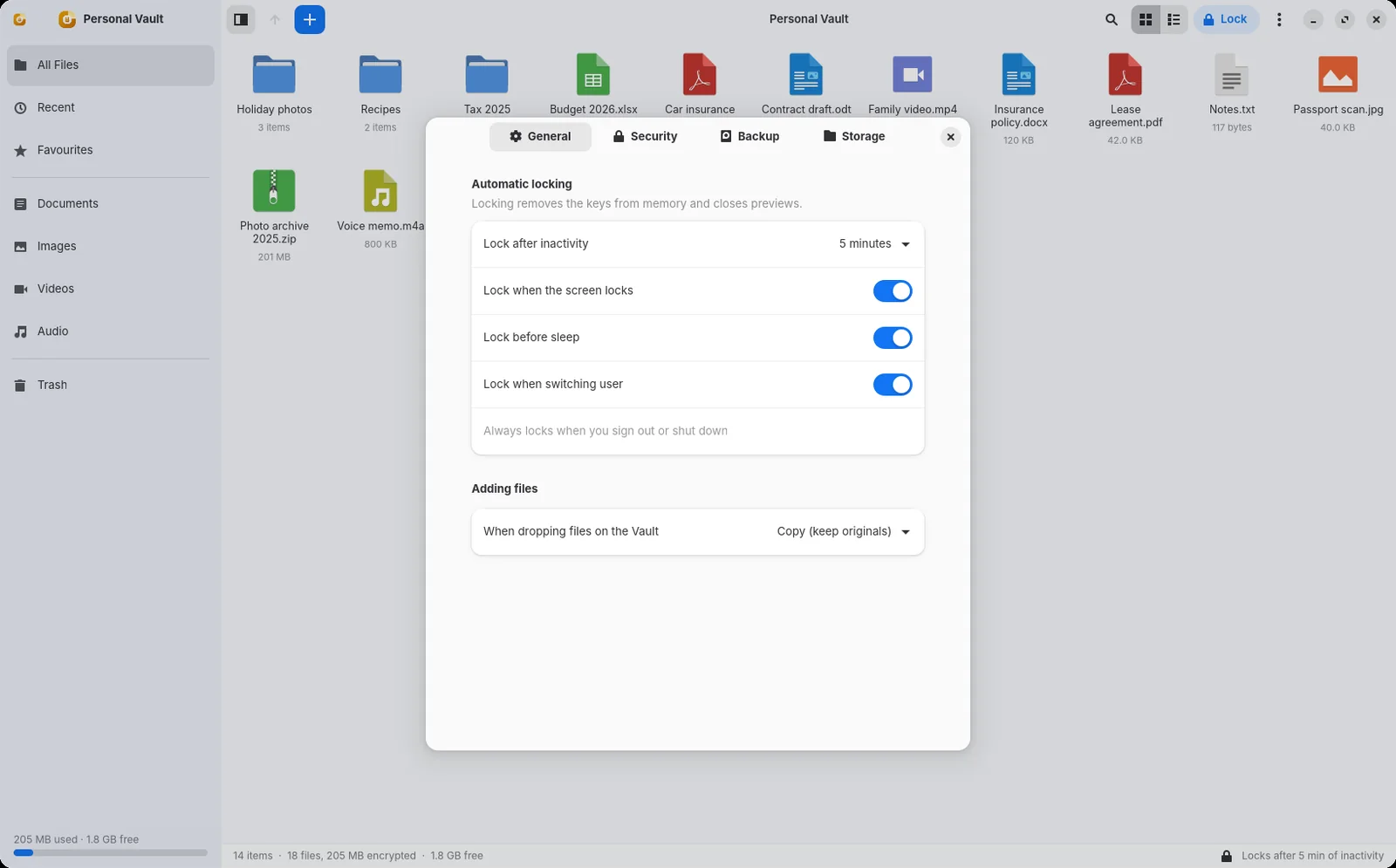
The automatic locking settings of Ordinis Vault: lock after 5 minutes, lock when the screen locks, before sleep and when switching user.
Automatic locking, in Settings.

Open documents across a lock

Documents you open are working copies in memory-backed storage, never plain copies on disk. If a document is still open in another program when the vault locks, the vault keeps that working copy and saves your changes back, encrypted, after you unlock again; if it cannot keep it, it stores an encrypted rescue copy that is picked up at the next unlock. While another program has a document open, that program may keep its own copies outside the vault (see the limits).
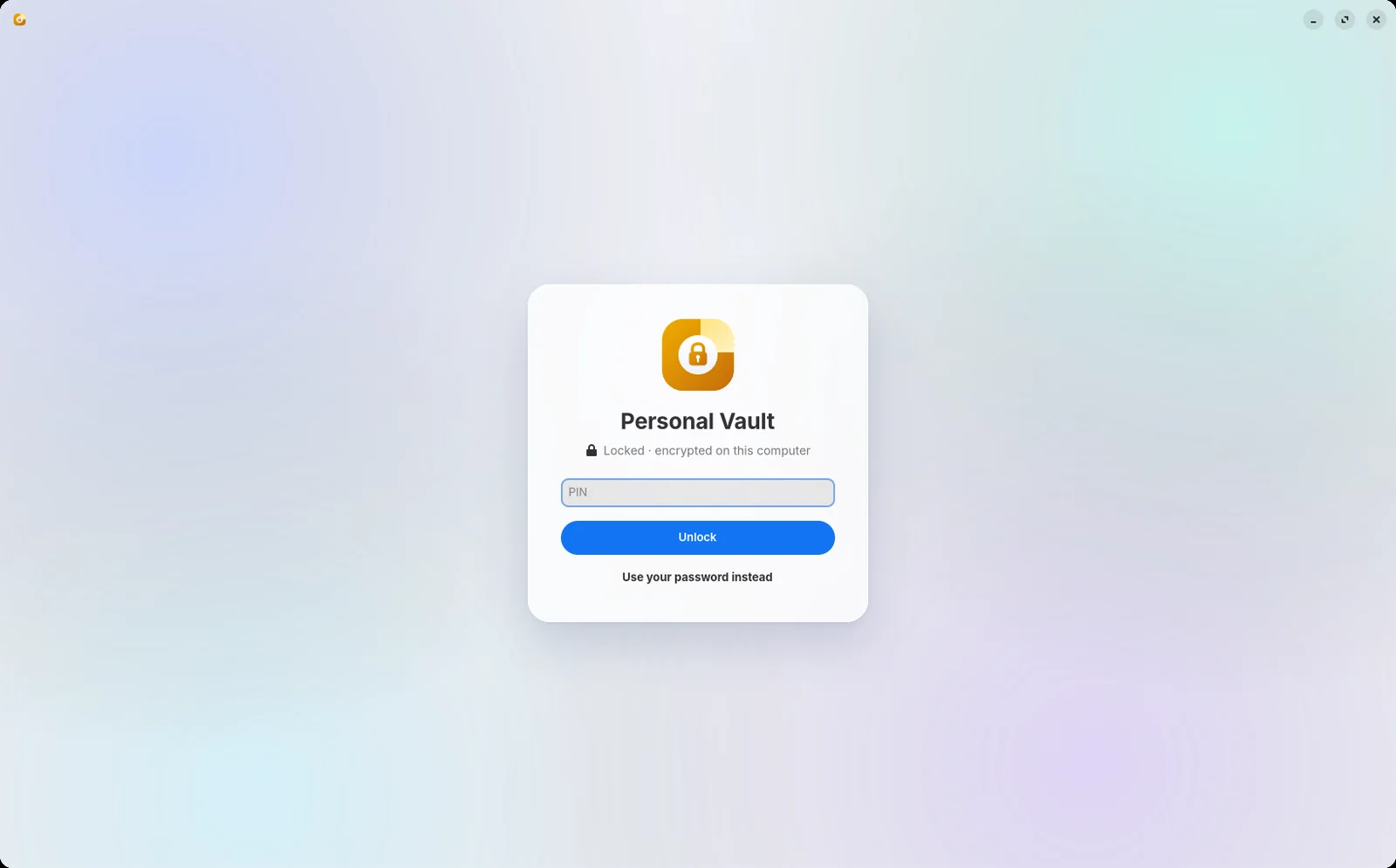
The Ordinis Vault unlock screen asking for the PIN, with a link to use the password instead.
Locked: a PIN guarded by the security chip, your password or the recovery key opens it.
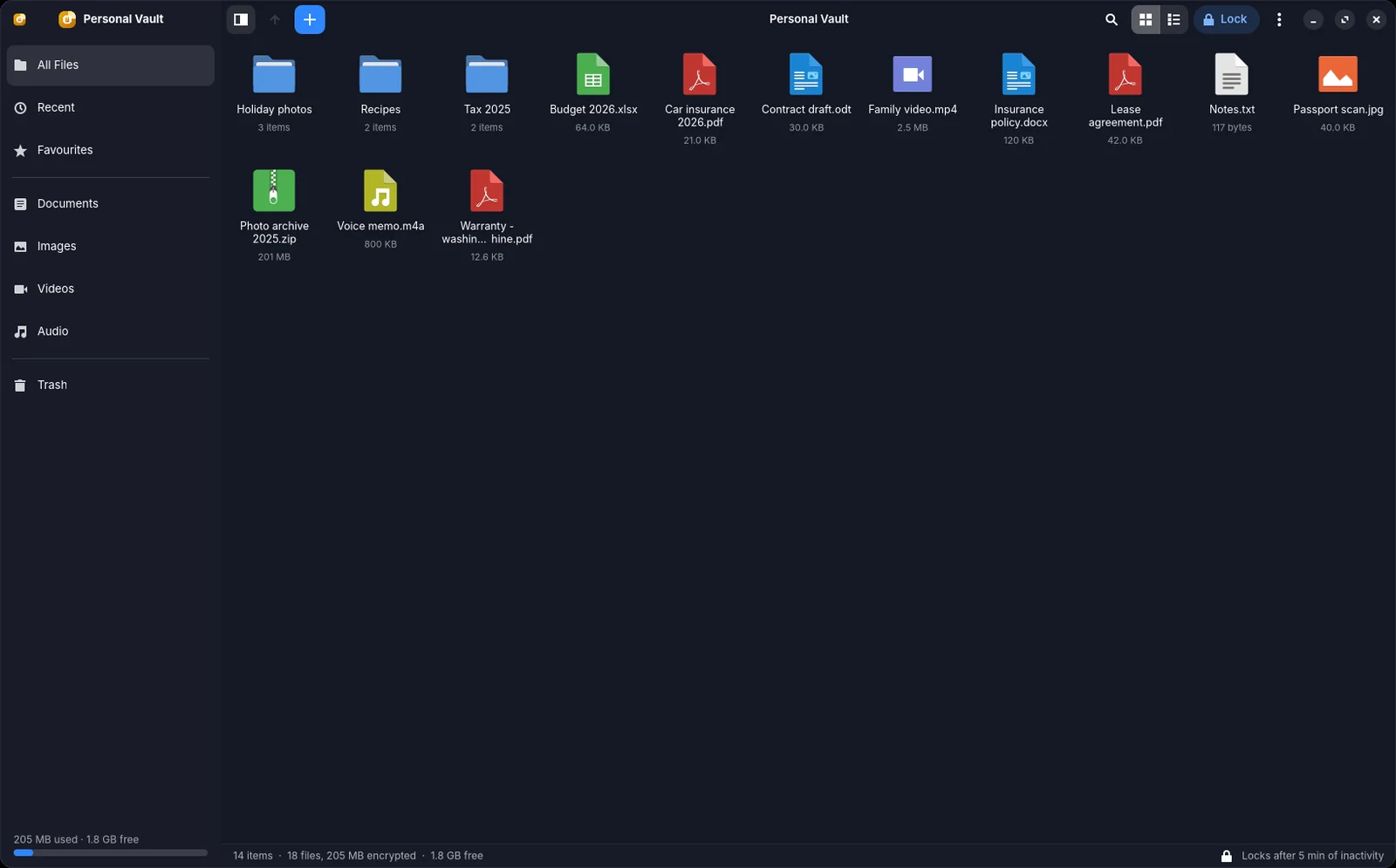
Ordinis Vault in its dark theme, showing folders and demo files in a grid.
Light and dark, following your system (demo files).
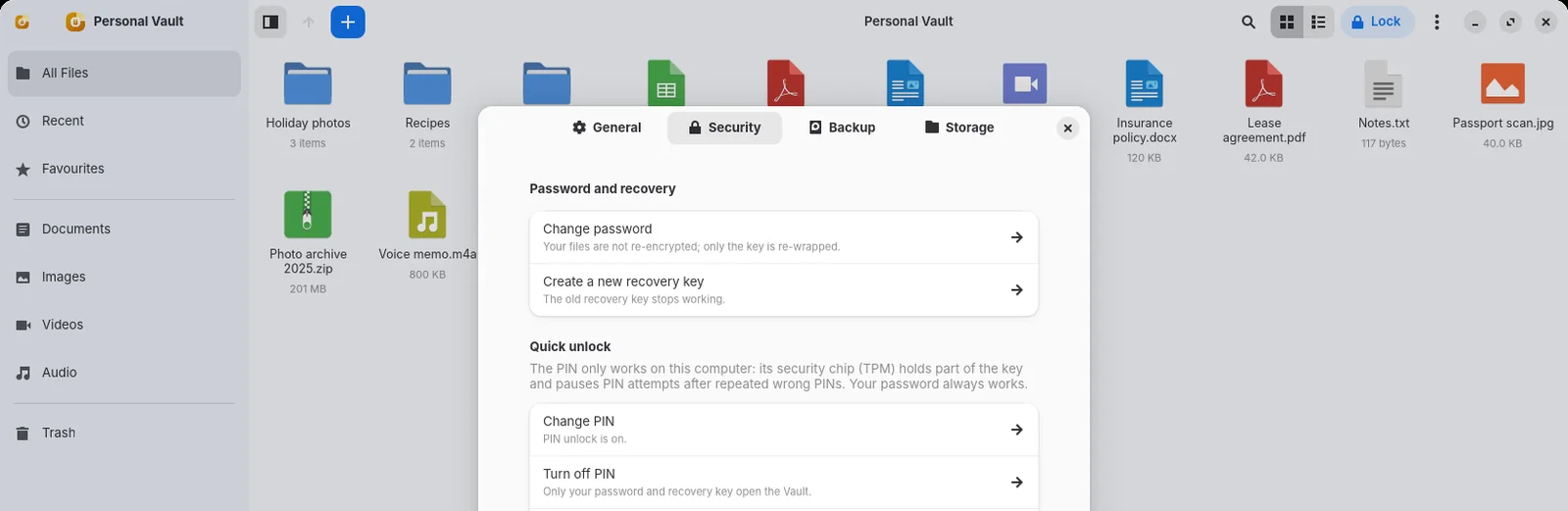
The Security settings of Ordinis Vault: change password, create a new recovery key, quick unlock with a PIN, memory protection, re-encrypt everything and check integrity.
Security settings: PIN, recovery key, re-encryption and integrity check.

Proof, not promises

Tested like a security product

A vault is only as good as the evidence behind it. Here is what has been checked.

22Security review roundsReviews of the code by a second AI model. No round found a critical issue, and findings were addressed in the following commits.
78Automated testsEncryption, tamper detection, crash recovery, backup and key rotation, all passing on the reviewed code (November 2026).
15Service end-to-end checksIncluding the service killed mid-import, a failed save-back and a stalled program trying to block locking.
400Damaged-vault casesMutation fuzzing of stored data: every damaged vault is refused, never opened.
23/23Checks on Ordinis OSUsed end to end on Ordinis OS in our lab.
0Network connectionsNo network code. The background service is limited to local sockets by the system.

Under the hood

How it is built

Encryption
XChaCha20-Poly1305, streamed in chunks, a separate key per file
Password
Argon2id, 256 MiB by default and tuned to your computer; never below 64 MiB
Names and folders
An encrypted, authenticated index; the previous index is kept as a fallback
Keys
Held only by a per-user background service, in locked memory, wiped when the vault locks
App and service
They talk over a private local socket; the service cannot open network connections
Made with
Rust core and service; desktop app in GTK 4, like Ordinis Settings
Open documents
Working copies in memory-backed storage, private to you, removed once saved
Platform
Ordinis OS and other Linux desktops

How fast it is

0.5 sto create or unlock a vault
5.2 sto add 1 GB, including reading it back to check it
9 msto search 100,000 files
7.6 sto back up 1.2 GB

Measured on our build server.

Limits

Good to know

  • PIN unlock needs a computer with a security chip (TPM 2.0); you set the PIN once after unlocking with your password.
  • For Linux: Ordinis OS and similar systems.
  • Files you open in another program are outside the vault’s protection while that program has them: it may keep its own copies, such as autosave files, thumbnails or recent-file lists.
  • Files you add by copying stay where they were; only “Move into vault” removes the original.
  • If your computer’s disk is not encrypted, the system may write memory to its swap space. The vault keeps its keys in locked memory and warns you, but full-disk encryption is recommended.
  • A vault placed in a folder that other users can change is refused.
  • No cloud sync, sharing or phone app. Ordinis AI has deliberately no access to the vault.
  • Every change rewrites the encrypted index: tested up to about 100,000 items.

Part of the family

How it works with the other Ordinis products

Made for Ordinis OS: a GTK 4 app like Ordinis Settings, with a vault icon on the desktop to drop files onto.

Ordinis AI has deliberately no access to the vault.

Recent milestones

What’s new

  • 0.2 · Unlock with a short PIN guarded by the computer’s security chip (TPM 2.0).
  • Open documents · Documents still open in another program when the vault locks are saved back, encrypted, after you unlock again.
  • Locking · The vault locks before the computer sleeps.

Questions

What if I forget my password?
Use the recovery key you received when you created the vault: it opens the vault and lets you set a new password. Ordinis cannot recover it for you.
Is there a cloud or an account?
No. The vault has no network code at all and no account.
Is there a Windows version?
No. Ordinis Vault is for Ordinis OS and other Linux desktops.
What happens if the computer crashes during a change?
Interrupted changes are recovered; anything the vault cannot place is kept in “Recovered files”, never deleted.
Does the PIN work on another computer?
No. Part of the key is held by this computer’s security chip, so the PIN is useless anywhere else. Your password and recovery key still work.

Support us

Support Ordinis

Ordinis is independent. If an app helps you, you can support its development.

Support us

Payments are handled securely by Stripe.