
People who build with AI
Plans, code and documents produced by one model and checked by another, in one place.

Ordinis AI
Ordinis AI is the intelligent interface to the Ordinis ecosystem. You describe what you need; several AI models plan it, do it and check each other’s work; and you approve anything that matters before it happens.
Who it’s for
Plans, code and documents produced by one model and checked by another, in one place.
Anything that ships, publishes or deploys waits for a person to approve it.
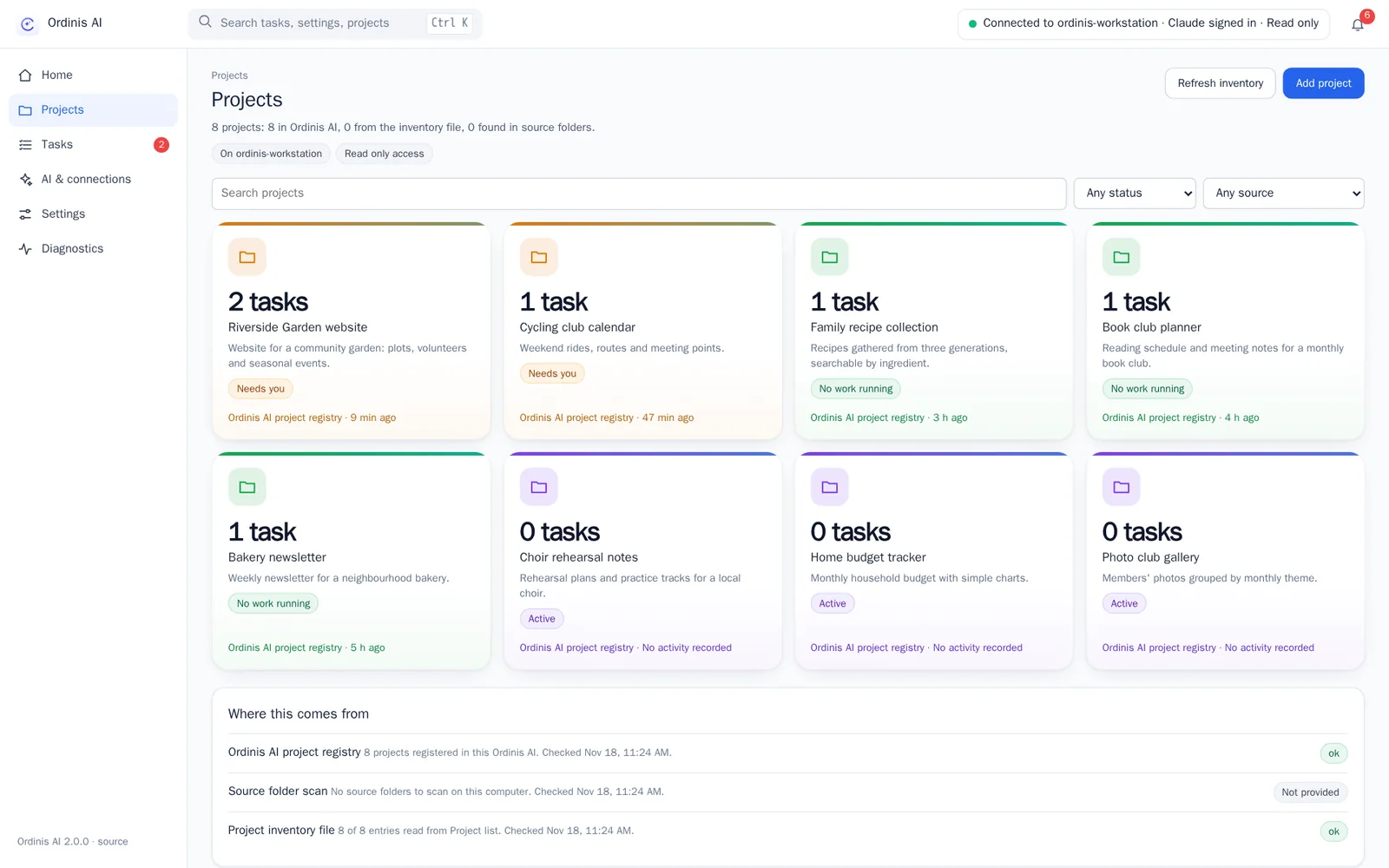
Each project keeps its purpose, its decisions and its results, so work picks up where it stopped.
How it works
Instead of trusting one model, Ordinis AI lets models with different strengths work as a team, and keeps you in the loop at the moments that count.
Ask in plain language. Ordinis AI turns your request into a plan you can read before anything runs.
One model builds, a different model reviews. You get one answer, with the review attached.
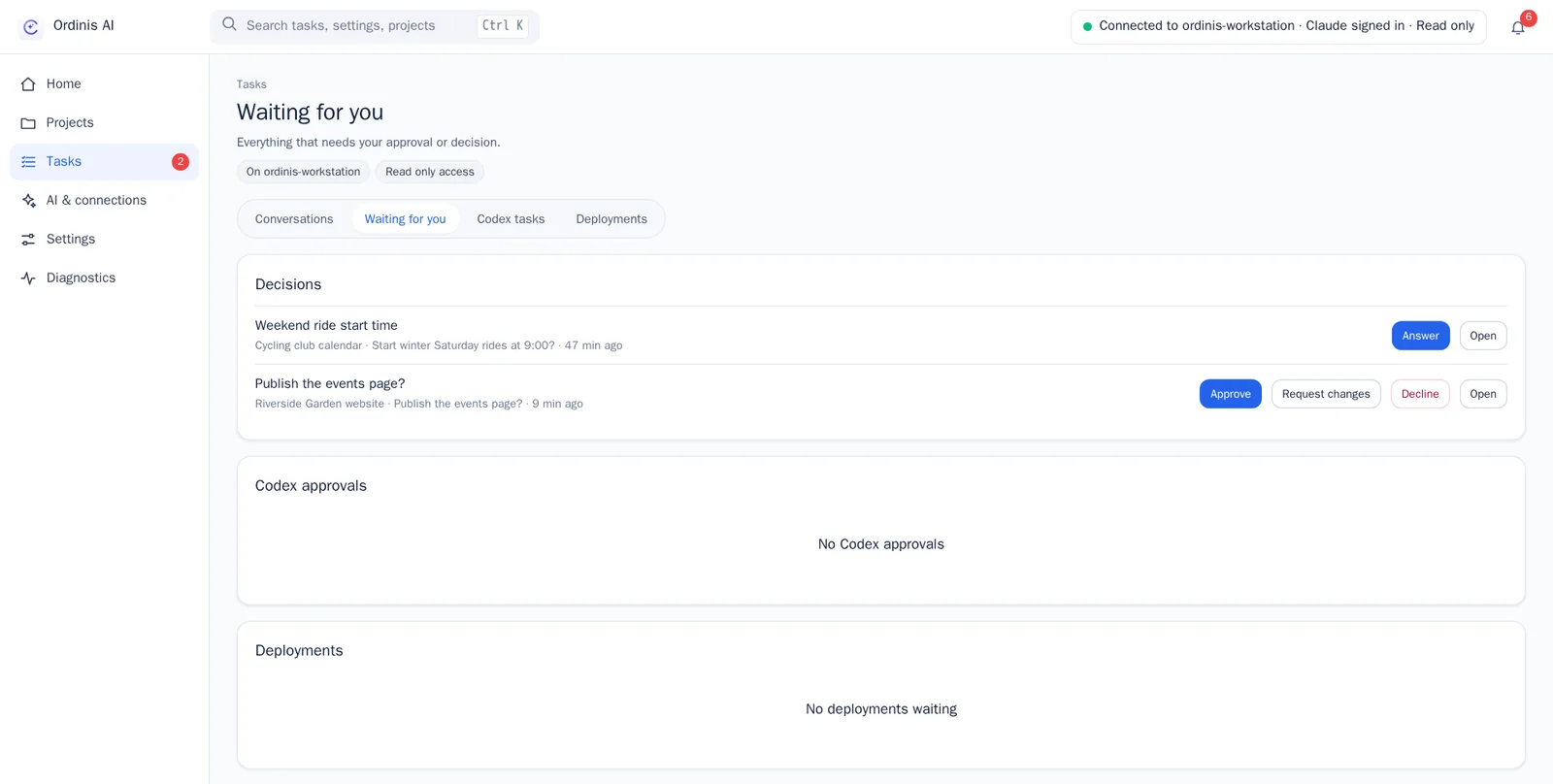
Publishing, deploying or changing something important always waits for your approval.
Notes and results are kept per project, so the next task starts from what was already decided.
Models are interchangeable providers, not a single vendor. Today it works with ChatGPT and Codex from OpenAI and Claude from Anthropic.
Work runs with a chosen access level (read only, one project, or custom). Guardrails reduce risk; they are not a sandbox, and we say so.
The console
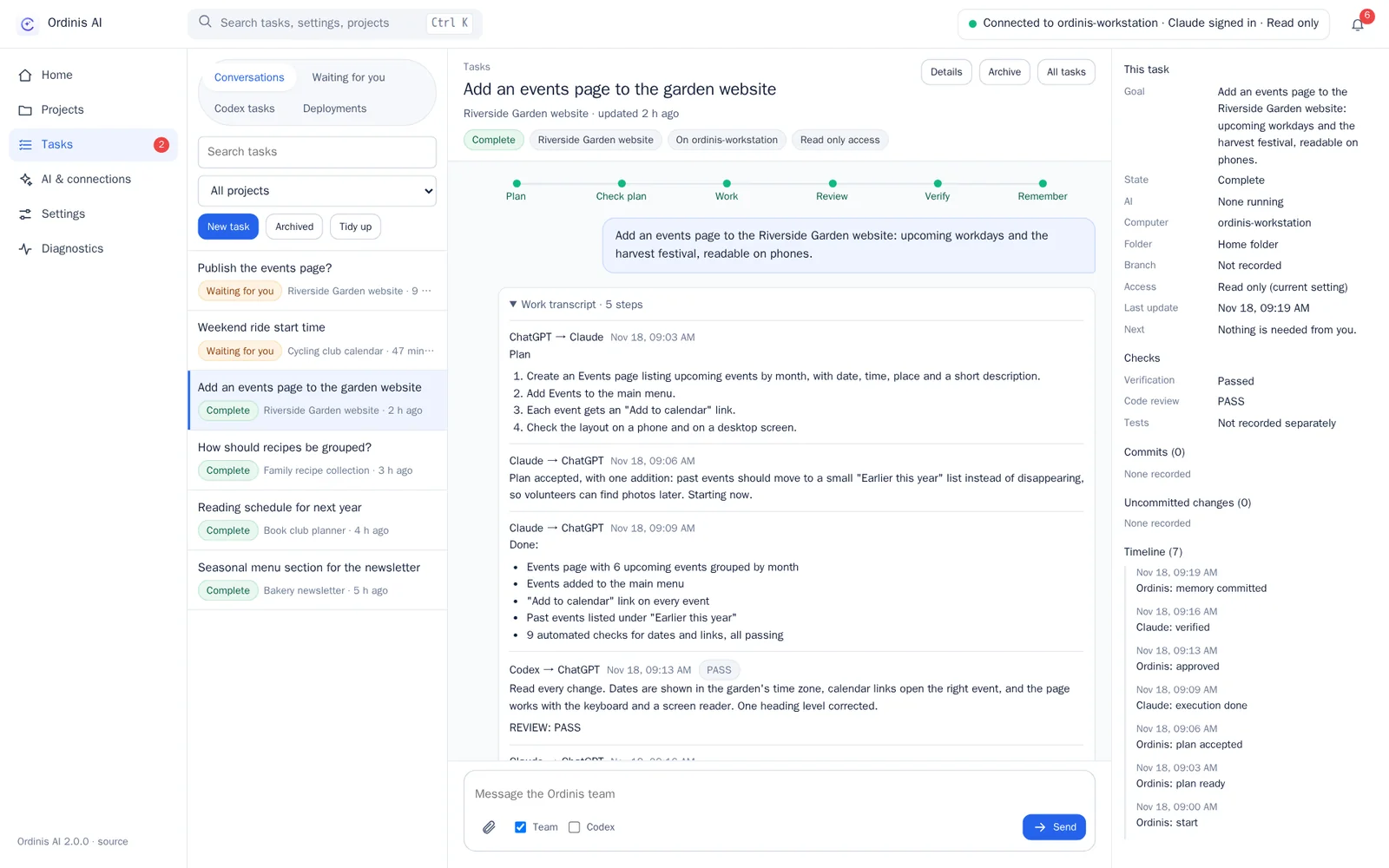
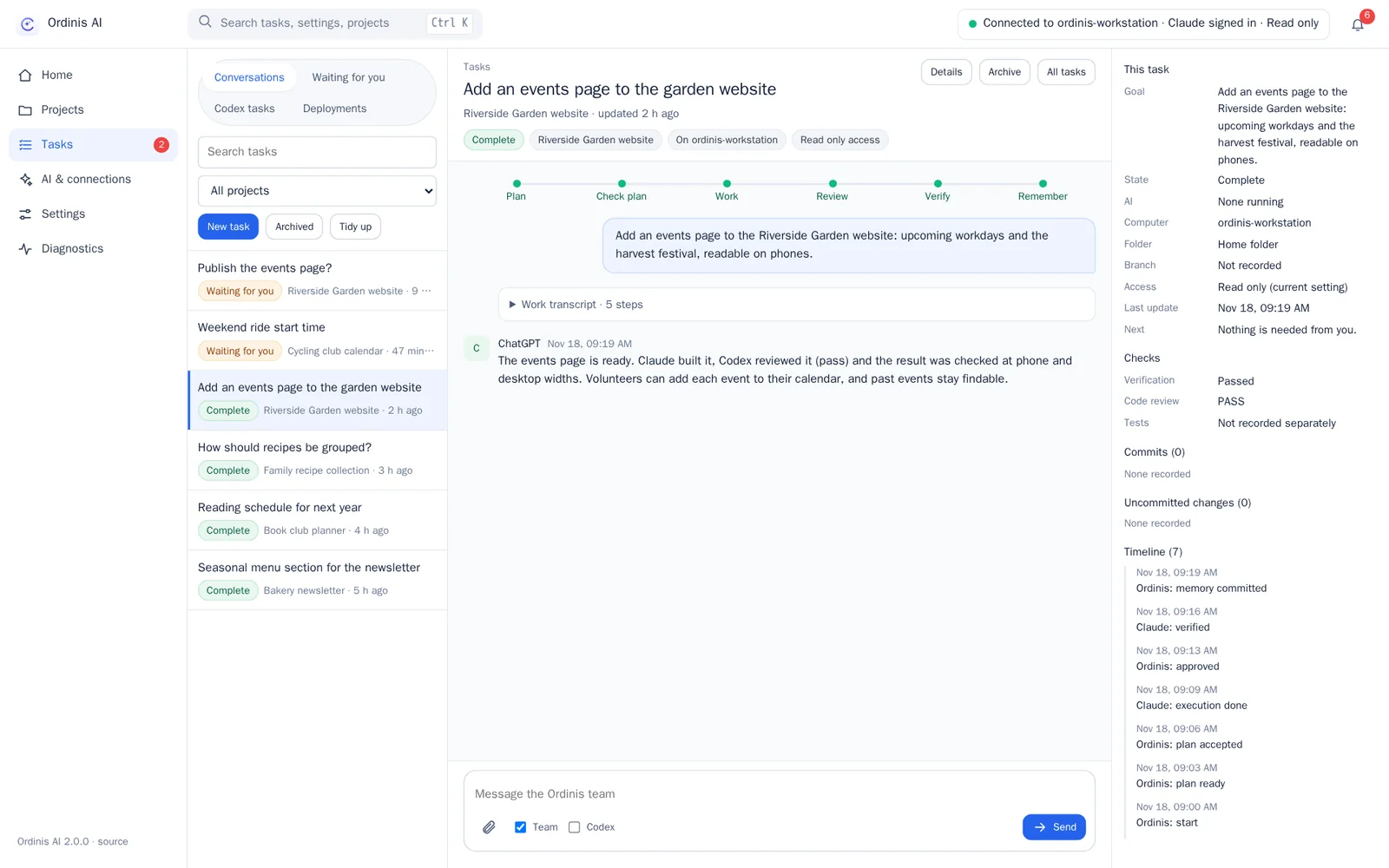
A stepper follows each task from plan to memory: Plan, Check plan, Work, Review, Verify, Remember. The full transcript and timeline are one click away.
Principle
AI proposes. People decide.
Model output is a proposal; approvals come from people. Nothing reaches production without your approval, and the dashboards show real usage only where a provider reports it: they never guess.
Privacy, permissions and security
Requests are processed by the cloud AI providers you connect. We always say which parts of a feature run where.
Sensitive actions (sending, deleting, publishing, changing system settings) require explicit approval. Guardrails are designed to keep the models away from stored credentials.
Each task keeps its plan, its review, its approval and its full transcript.
Ordinis AI does not act on your accounts or devices on its own initiative. It works only with the access level you choose (read only, one project, or custom).
Under the hood
Part of the family
Odin is the governance platform designed to authorise and record every step; Ordinis AI follows the same rule with its own approval lane.
Runs as a user service on Linux desktops such as Ordinis OS, and as a Windows app.
Ordinis Lens applies the same principle in the browser: AI reads the sources, code checks the quotes, you draw the conclusion.
Recent milestones
Support us
Ordinis is independent. If an app helps you, you can support its development.
Support usPayments are handled securely by Stripe.
Explore the family

The governance platform designed so that work runs only with explicit permission, purpose and budget, and every step leaves evidence. AI proposes, people decide.

Finds the checkable claims on the page you are reading, gathers public sources, and shows what they do and do not support.

A calm, light desktop built on Debian 13, with the Ordinis Start menu, a glass dock and four Spaces for different kinds of work.