
Home and study
Letters, budgets, school work and presentations, with the formats you already use.

Ordinis Office
Ordinis Office is the complete desktop office suite for the Ordinis family: documents, spreadsheets, presentations, drawings, databases and formulas. It is based on LibreOffice®, so it opens the files you already have and works without a subscription.
Who it’s for
Letters, budgets, school work and presentations, with the formats you already use.
Six apps in one suite that open Word, Excel and PowerPoint files and save OpenDocument by default.
The same suite and the same Start Center on Linux and on Windows.
A fresh start
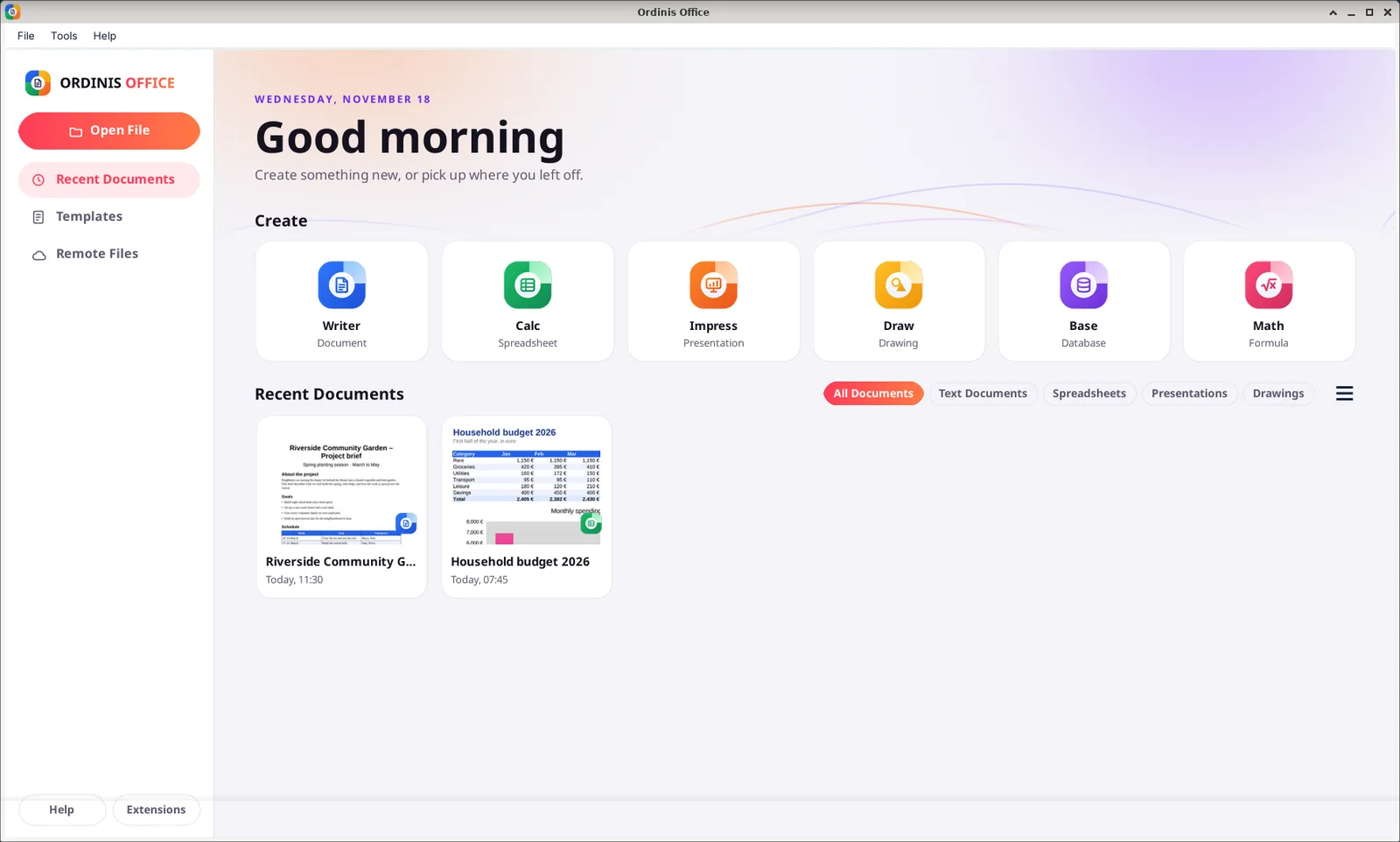
The Ordinis Start Center opens with the date and a greeting, one tile per app, and your recent documents with live thumbnails and filters.
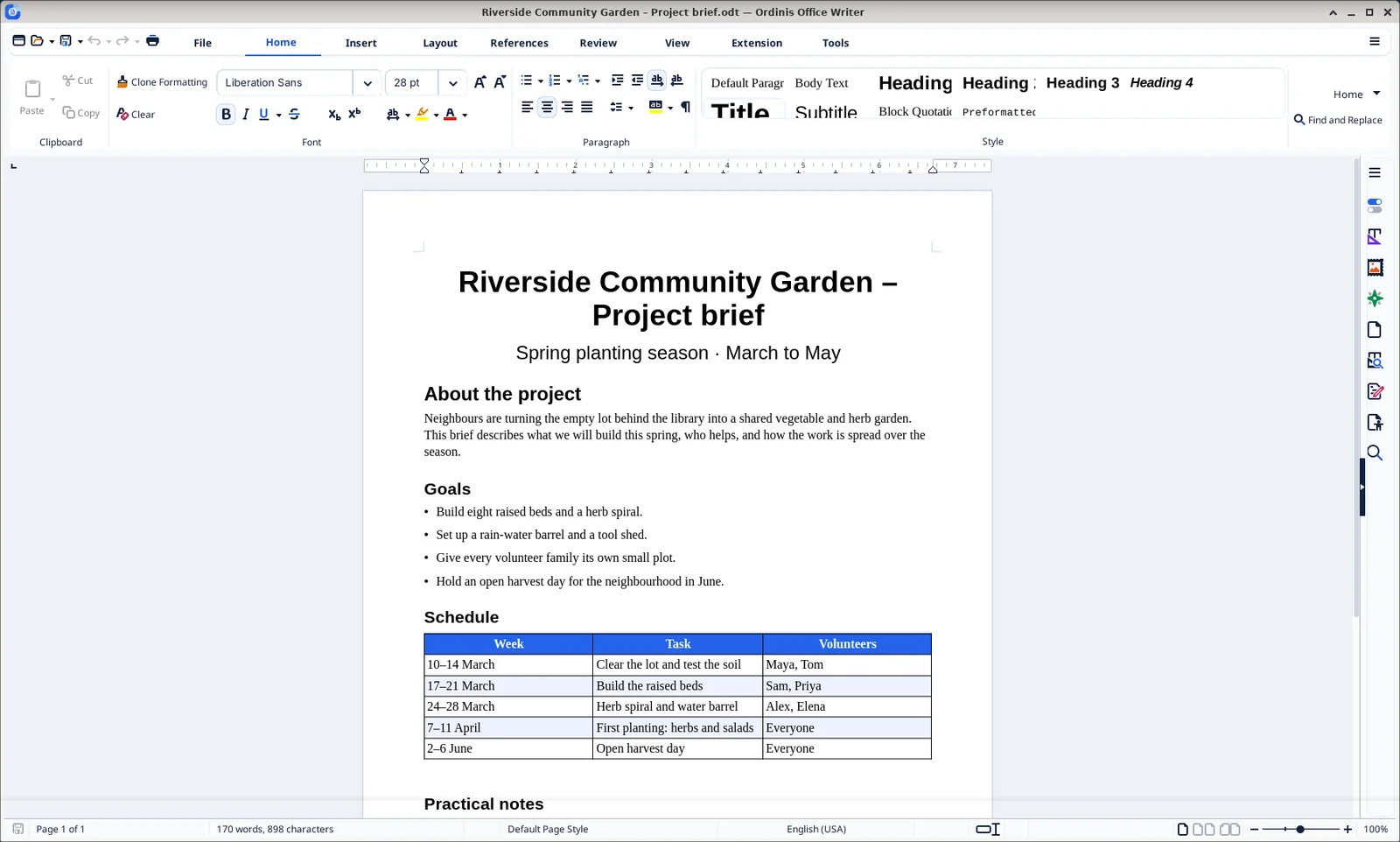
Writer’s tabbed toolbar puts everything under Home, Insert, Layout, References, Review and View, with a style gallery and a sidebar.
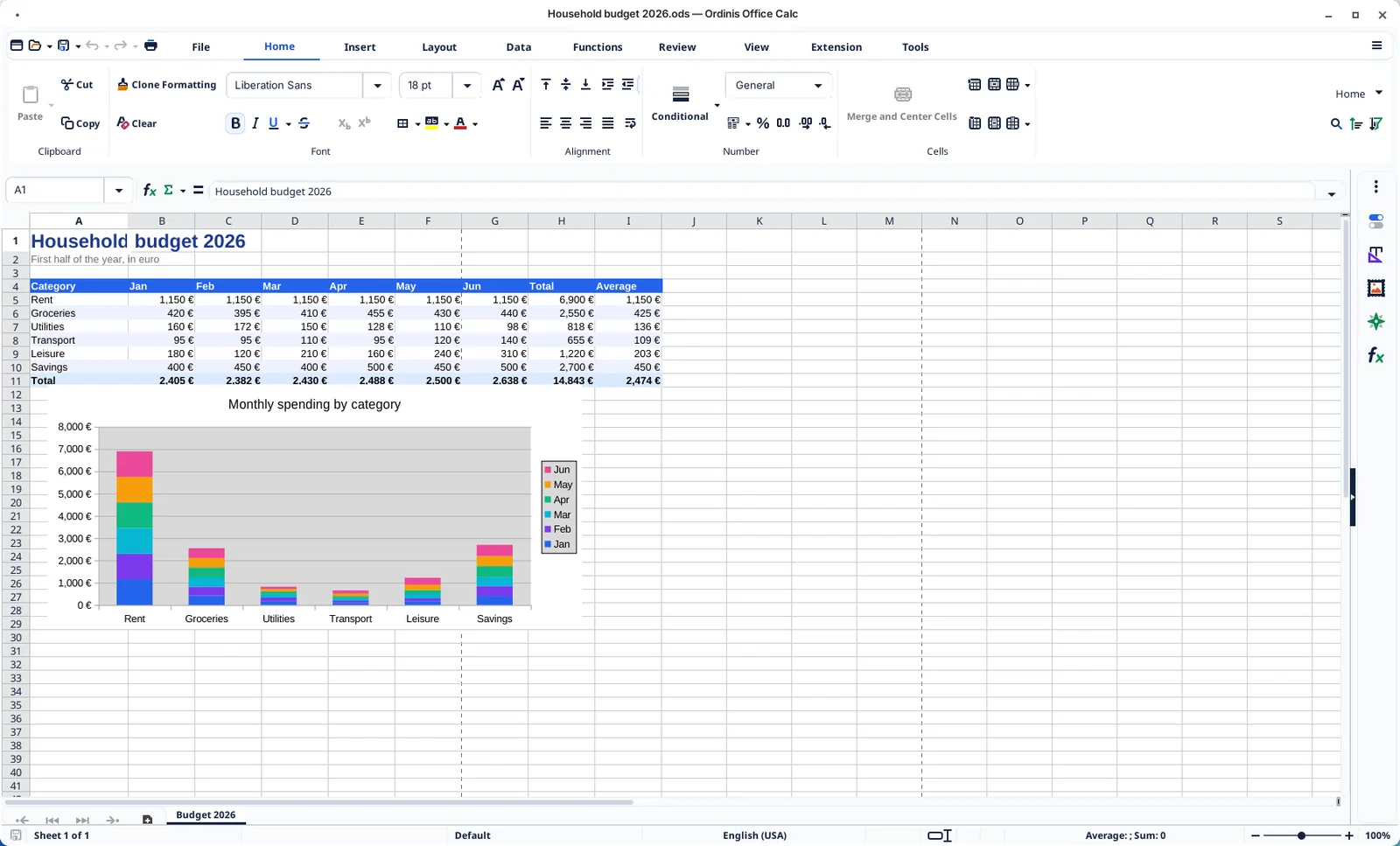
Calc does the sums, the averages and the currency formats, and turns them into charts.
The suite

Letters, reports, theses and books, from a blank page to a finished PDF.

Budgets, lists and analyses, with the formulas and charts you already know.

Slides that say one thing well, from outline to presenter view.

Flowcharts, floor plans, posters and quick illustrations.

Simple databases for records, inventories and lists, with forms and reports.

Mathematical formulas for documents, slides and drawings.
Compatibility
Documents are saved as OpenDocument (ODF), the international ISO standard for office files, unless you choose otherwise.
Opens and saves Word, Excel and PowerPoint files. Complex layouts and macros can look different; we do not claim perfect fidelity.
Everything runs on your computer. No account, no cloud and no subscription are needed to work.
Templates for letters, reports and slides; export to PDF from every app.
Keyboard access, high-contrast support, screen-reader support and tagged PDF export, inherited from LibreOffice.
The Ordinis name, icons and Start Center, on Windows and on Ordinis OS.
Under the hood
Ordinis Office is built from LibreOffice 26.8. The applications, features and file formats are LibreOffice’s; Ordinis has not changed them.
The Ordinis name, app icons, splash screen and the Kosmo-style Start Center, plus installers for Windows and Linux.
The built-in online update check is switched off; new versions come as new Ordinis Office installers.
Platforms
Part of the family
Ordinis Office runs on Ordinis OS with the same light design as the rest of the desktop.
Mail and calendar live in Ordinis Connect; documents in Ordinis Office.
Recent milestones
Download
Double-click the .msi. It upgrades earlier Ordinis Office builds. The first start after installing can take 20 to 30 seconds. The installer is not code-signed, so Windows SmartScreen may warn: choose “More info”, then “Run anyway”.
msiexec /i OrdinisOffice-26.8.3.1-4-windows-x64-en-fr.msiUnpack the archive and install all packages. On a minimal system without a desktop, add the desktop libraries first (second command).
tar -xzf ordinis-office-26.8.3.1-4-linux-x64-debs.tar.gz
sudo apt install ./*.deb
sudo apt install libxinerama1 libgtk-3-0t64 libcups2t64 libnss3 libsm6 libx11-xcb1 libdbus-1-3 libdconf1Compare the SHA-256 checksum of the downloaded file with the one shown above. If they differ, delete the file and download it again from this page.
Get-FileHash .\file-name -Algorithm SHA256sha256sum file-nameAll checksums of this release: SHA256SUMS.
Third-party sources and build notes
Ordinis Office is based on LibreOffice®. LibreOffice is a registered trademark of The Document Foundation; Ordinis Office is an independent build, not affiliated with or endorsed by The Document Foundation.
Support us
Ordinis is independent. If an app helps you, you can support its development.
Support usPayments are handled securely by Stripe.
Explore the family

Outlook.com and IMAP mail, calendar, contacts and tasks in one desktop app, with your data encrypted on your own computer.

A calm, light desktop built on Debian 13, with the Ordinis Start menu, a glass dock and four Spaces for different kinds of work.

An encrypted vault for your files on your own computer. Files are encrypted before they are stored and open only after you unlock it. No cloud, no account, no network.